OWASP ZAP: The Complete Guide to Free Web Security Testing
A free, open-source web application security scanner maintained by the OWASP Foundation. It's the tool most working AppSec engineers cut their teeth on, and it still earns a permanent spot in professional toolkits next to paid options like Burp Suite Pro.
⚠️ Legal Notice: Only scan or test web applications you own or have explicit written permission to assess. Running ZAP's active scanning features against systems you don't control is illegal in most countries. All examples use example.com, reserved by IANA for documentation.
On this page
- What is OWASP ZAP?
- How ZAP Works
- Automated vs. Manual Scanning
- Getting Started
- Interface Walkthrough
- Key Features
- Handling Authenticated Scans
- Automation Framework & CI/CD
- Add-ons You Should Actually Install
- Reading & Triaging Alerts
- Real-World Use Cases
- vs. Burp Suite
- Best Practices
- Common Beginner Mistakes
- FAQs
What is OWASP ZAP?
OWASP ZAP (Zed Attack Proxy) is maintained by the Open Worldwide Application Security Project (OWASP), the same organization behind the OWASP Top 10. ZAP acts as an intercepting proxy, similar in concept to Burp Suite, sitting between your browser and a web application so you can inspect, modify, and replay every request and response.
ZAP started life as a fork of Paros Proxy and has been rebuilt over more than a decade into a full application security testing platform: proxy, spider, active/passive scanners, fuzzer, WebSocket support, REST API, and a scriptable automation framework. Because it's fully free and open-source with no paid tier gating core functionality, ZAP is consistently the first tool recommended to students and the tool most CI/CD pipelines reach for when a commercial license isn't in the budget.
It's currently developed under the stewardship of the Software Security Project umbrella at OWASP, with releases distributed as a cross-platform desktop app, a set of Docker images (bare, weekly, and stable), and a headless daemon mode for scripted use.
How ZAP Works
- Sits between your browser and the target as a proxy, decrypting and re-encrypting TLS traffic using its own root CA certificate
- Passively analyzes traffic as you browse normally, flagging potential issues without sending a single attack payload
- Offers an active scanner that sends test payloads (SQLi strings, XSS vectors, path traversal sequences, etc.) to find vulnerabilities
- Presents findings in a categorized alerts panel with risk ratings, confidence levels, CWE/WASC references, and remediation guidance
- Keeps a full session history so every request/response pair can be replayed, edited, and resent through the Manual Request Editor
Automated vs. Manual Scanning
ZAP's automated scan can crawl a site and run active scans with minimal setup — good for a quick first pass on a staging environment. Its manual/exploration mode lets a tester explore by hand and catch logic flaws automated scanners typically miss, like broken access control between user roles, business-logic abuse, or multi-step workflows that a spider can't reason through.
A realistic professional workflow blends both: run the automated scan first to sweep the low-hanging fruit, then spend the bulk of your time manually walking through authenticated, role-sensitive, and state-dependent flows with the Manual Request Editor.
Getting Started with ZAP
Step 1: Install ZAP
Download from the official OWASP ZAP website for Windows, macOS, or Linux, or pull one of the official Docker images if you'd rather not install a desktop app:
docker pull ghcr.io/zaproxy/zaproxy:stable
docker run -u zap -p 8080:8080 -i ghcr.io/zaproxy/zaproxy:stable zap.sh -daemon \
  -host 0.0.0.0 -port 8080 \
  -config api.addrs.addr.name=.* -config api.addrs.addr.regex=true
Step 2: Install the Root CA Certificate
Before intercepting HTTPS traffic, export ZAP's root CA from Tools → Options → Dynamic SSL Certificates and import it into your browser's trusted certificate store. Skipping this step is the most common reason beginners see constant certificate warnings.
Step 3: Configure Your Browser
Set your browser's proxy to ZAP's default (usually 127.0.0.1:8080), or use the ZAP-managed Firefox profile that launches automatically and configures the proxy for you.
Step 4: Run an Automated Scan
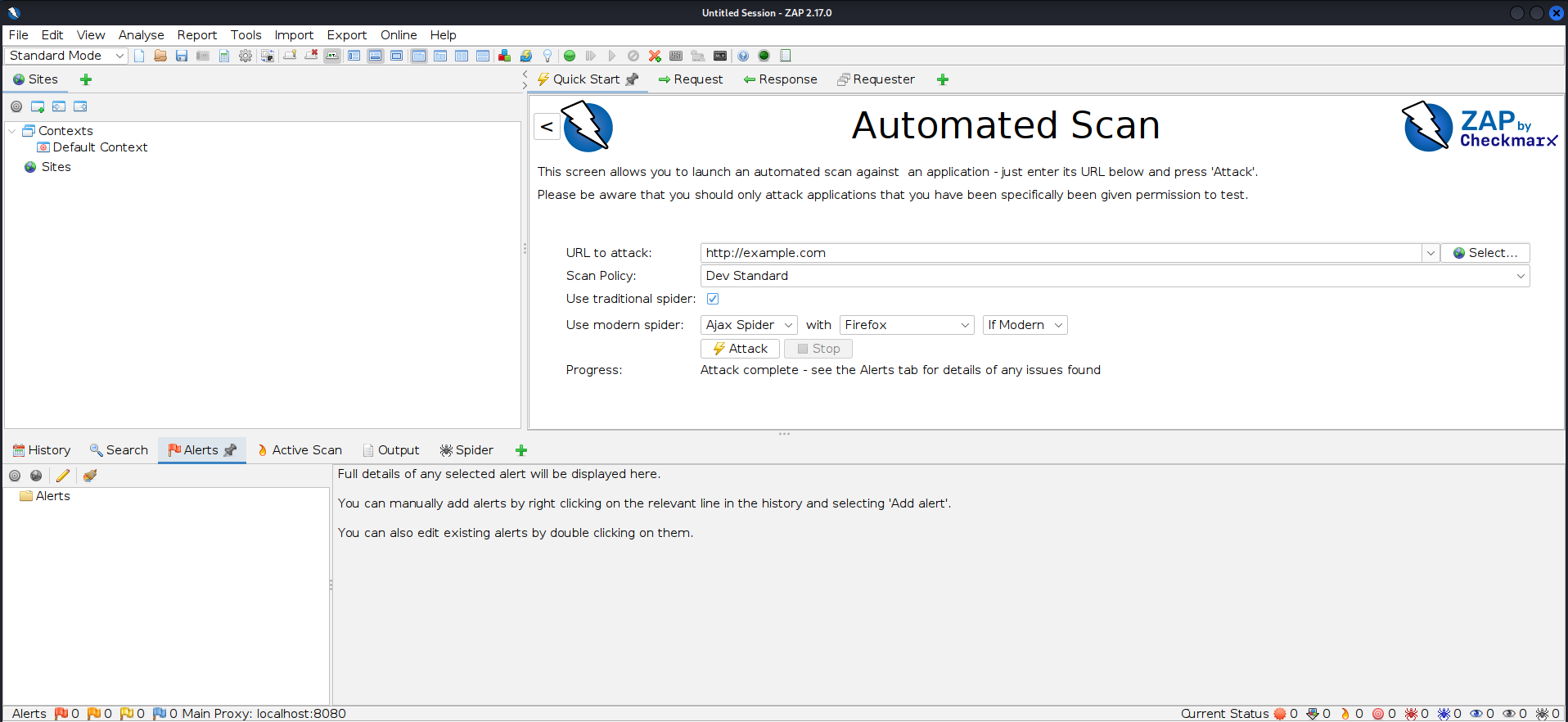
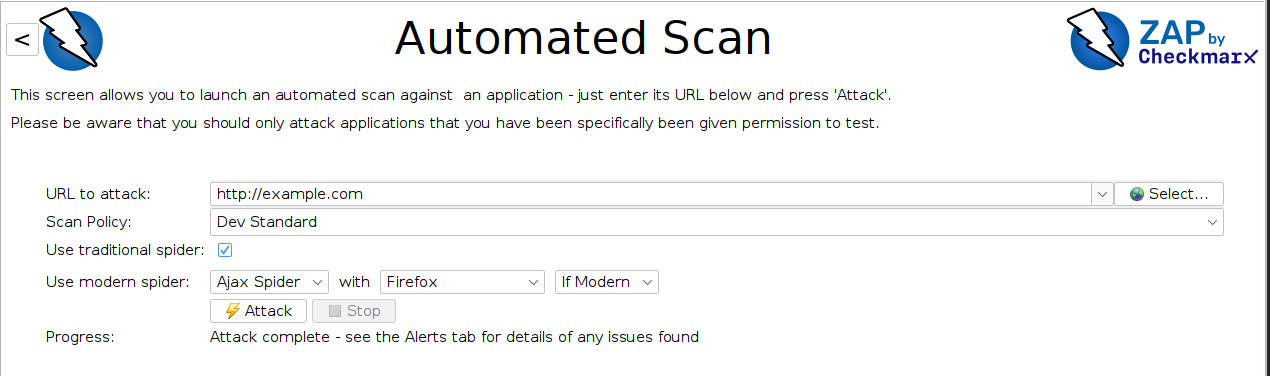
Enter an authorized target URL into ZAP's quick-start tab and launch a scan. For a first pass, leave the default policy in place — you can tune scan strength and thresholds once you understand your target's tolerance for load.
Step 5: Review Alerts
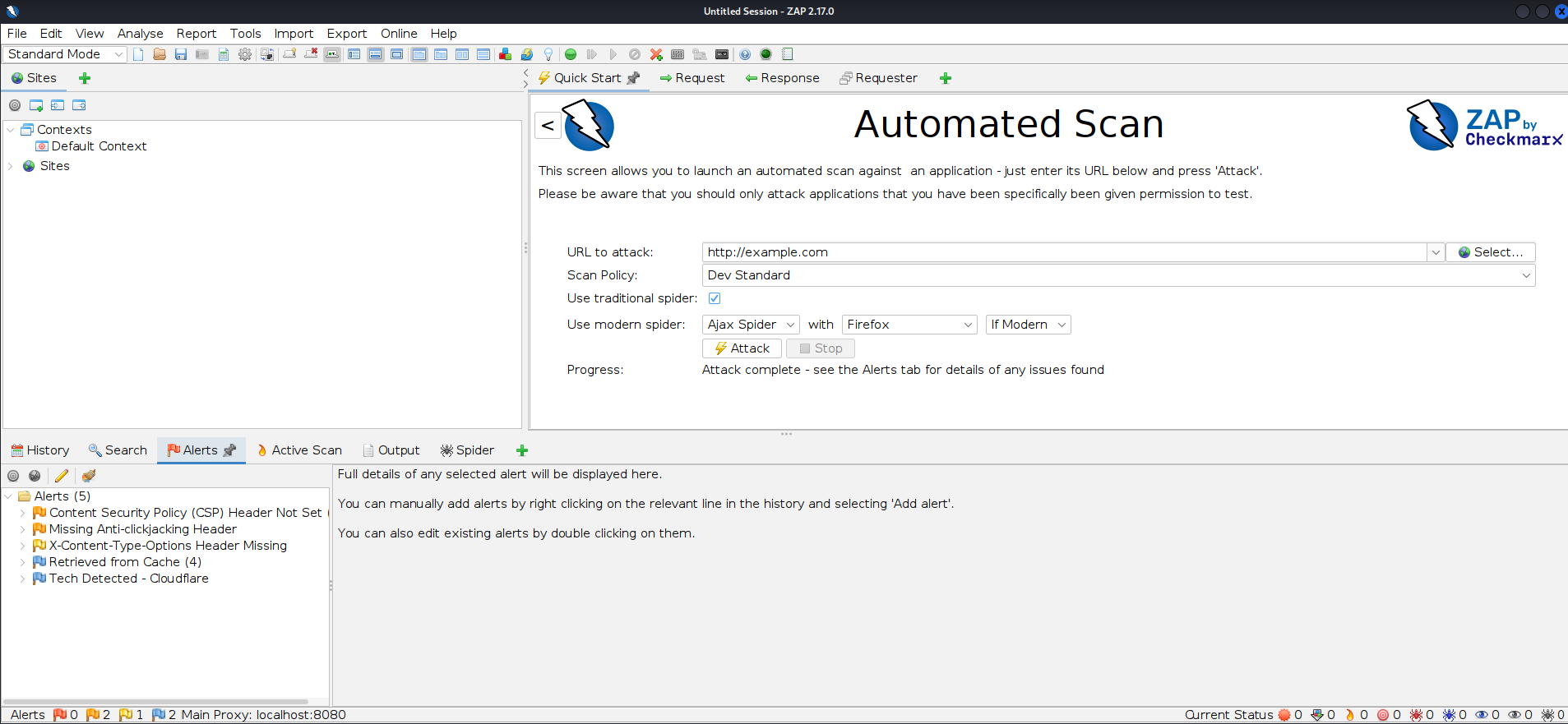
ZAP categorizes findings by risk level (High, Medium, Low, Informational) and confidence (High, Medium, Low). Confidence matters as much as risk — a High-risk, Low-confidence alert still needs manual verification before it belongs in a report.
Interface Walkthrough
A quick visual tour of ZAP's core screens — the Sites and request/response panes, the Quick Start tab used to launch a scan, and the Alerts panel where findings are reviewed.
Key Features
- Spider: Automatically crawls a site to map its structure; a separate AJAX Spider handles JavaScript-heavy single-page apps that the classic spider can't follow
- Active Scanner: Sends test payloads to find vulnerabilities like SQLi, XSS, path traversal, and command injection
- Passive Scanner: Flags issues from observing normal traffic — missing security headers, insecure cookie flags, information disclosure — no attacks involved
- Fuzzer: Sends many request variations against chosen injection points to test input handling
- Automation Framework: YAML-driven scan plans that run identically on a laptop or inside CI/CD
- Scripting engine: Supports JavaScript, Python (via Jython), and Zest for custom authentication handlers, passive rules, and active payload logic
- API support: Fully automatable via REST API and Docker images, built for CI/CD integration
Handling Authenticated Scans
Most real findings live behind a login. ZAP supports several authentication methods, and picking the right one is often the difference between a scan that actually covers the app and one that only maps the public login page:
- Form-based authentication: ZAP submits your username/password to the login form and detects success/failure indicators automatically
- Script-based authentication: for logins with CSRF tokens, multi-step flows, or JS-rendered forms, a Zest or JavaScript authentication script gives you full control
- JSON/REST-based authentication: for SPAs and API-driven login flows that POST JSON credentials rather than submitting an HTML form
- Session tokens & context: once authenticated, ZAP needs a Context configured with the session token location (cookie, header, or custom parameter) so it knows how to stay logged in across the crawl
Always create a dedicated, low-privilege test account for scanning — never point an active scan at credentials tied to real user data or production admin access.
Automation Framework & CI/CD
The Automation Framework replaced the older command-line scripts as ZAP's recommended way to run repeatable scans. Plans are defined in a single YAML file, versioned alongside your codebase, and executed the same way locally or inside a pipeline:
env:
  contexts:
    - name: "example-context"
      urls:
        - "https://example.com"
jobs:
  - type: spider
    parameters:
      context: "example-context"
      url: "https://example.com"
  - type: passiveScan-wait
  - type: activeScan
    parameters:
      context: "example-context"
  - type: report
    parameters:
      template: "risk-confidence-html"
      reportDir: "/zap/reports"
      reportFile: "zap-report"
Run it headlessly with:
docker run -v $(pwd):/zap/wrk/:rw -t ghcr.io/zaproxy/zaproxy:stable \
  zap.sh -cmd -autorun /zap/wrk/zap-plan.yaml
Dropping this into a GitHub Actions, GitLab CI, or Jenkins pipeline gives you a DAST gate on every build without a commercial license — the exact reason ZAP shows up so often in budget-conscious DevSecOps pipelines.
Add-ons You Should Actually Install
The Marketplace (Manage Add-ons) hosts optional add-ons on top of the core install. A handful consistently earn their place in a working setup:
- Ajax Spider: essential for any modern JS-heavy front end
- Retire.js: flags known-vulnerable JavaScript libraries loaded by the target
- Access Control Testing: automates comparison of responses across different user roles to catch broken access control
- GraphQL: adds spidering and scanning support for GraphQL endpoints
- OpenAPI/Swagger: imports API definitions so ZAP can test endpoints it would otherwise never discover
- Report Generation add-ons: extra templates (Markdown, XML, additional HTML themes) beyond the built-in options
Reading & Triaging Alerts
A raw ZAP scan is a starting point, not a finished report. Treat every alert against this checklist before it goes anywhere near a client or a ticket:
- Check confidence, not just risk — Low-confidence Highs need manual confirmation
- Reproduce the finding manually via the Manual Request Editor; if you can't reproduce it, don't report it as confirmed
- Group duplicate instances of the same root cause (e.g., missing header on 40 pages is one finding, not forty)
- Map each confirmed finding to its CWE reference for consistent, standardized reporting
- Note false positives directly in the alert so future scans of the same context don't re-flag them
Real-World Use Cases
- Learning web security: A common first tool for students, being fully free
- CI/CD integration: Automated scans on every build via the Automation Framework
- Budget-conscious testing: Small teams without a Burp Suite Pro license
- Bug bounty reconnaissance: Initial mapping and passive analysis of in-scope targets
- Regression testing: Re-running a saved Automation Framework plan against every release to catch newly introduced issues
ZAP focuses specifically on web application traffic, the same territory as Burp Suite — for broader network and host discovery before you even get to the web layer, Nmap is still the right starting point. If you later need to validate a discovered vulnerability more deeply, that's typically where a tool like Metasploit comes in.
ZAP vs. Burp Suite
| Feature | OWASP ZAP | Burp Suite |
|---|---|---|
| Cost | Completely free | Free Community; paid Pro tier |
| Ease of use | Beginner-friendly automated scan | Steeper curve, powerful manually |
| Automation/CI-CD | Strong, built-in Automation Framework + API | Mainly in paid Enterprise tier |
| Scripting | JavaScript, Python (Jython), Zest | Java, Python/Ruby via extender |
| Adoption | Popular with students, budget teams, CI pipelines | Industry standard professionally |
Best Practices
- Always confirm authorization before running active scans
- Start with passive scanning/spidering before active scans on production-like environments
- Review and tune scan policies to avoid unnecessary load
- Use ZAP's context feature to properly scope authenticated areas
- Save Automation Framework plans in version control so scans are reproducible across the team
- Rate-limit active scans against anything that isn't a dedicated test environment
Common Beginner Mistakes
- Skipping the root CA install, then assuming HTTPS traffic simply "doesn't show up" in ZAP
- Running an active scan straight out of the box against an unauthenticated context, then wondering why coverage is shallow
- Treating every alert as a confirmed finding instead of triaging confidence and risk together
- Pointing an active scan at production without asking anyone first
- Never revisiting the default scan policy, even when it's clearly too aggressive (or too light) for the target
Frequently Asked Questions
Is OWASP ZAP legal?
Yes, against applications you own or have explicit written permission to test.
Is it really free?
Yes, entirely free and open-source, no paid tier required for core functionality.
Is ZAP good for beginners?
Yes — its automated scan mode is generally more approachable than Burp Suite's manual-first workflow, and the interface groups findings clearly enough that new testers aren't overwhelmed.
Can ZAP run in automated pipelines?
Yes, ZAP has a well-documented REST API, an Automation Framework built for repeatable YAML-defined plans, and Docker images built for CI/CD integration.
Does ZAP replace a manual penetration test?
No. It's a strong first pass and a good regression gate, but logic flaws, complex authorization issues, and business-logic abuse still require a skilled human tester.
Conclusion
OWASP ZAP is an excellent, completely free entry point into web application security testing — and, with the Automation Framework, a tool that scales up into serious professional and CI/CD workflows too. Always stay within a legal, authorized scope. A great complement or alternative to Burp Suite.