What Is Cybersecurity? A Complete Beginner's Guide (2026)
Cybersecurity can look complicated when you first enter the field. This guide removes the jargon and builds the subject from the ground up — starting with what cybersecurity protects, why the CIA Triad matters, how attackers and defenders work, and where the major areas of cybersecurity fit together.
What is cybersecurity?
Cybersecurity is the practice of protecting computers, networks, applications, devices, accounts, and data from unauthorized access, misuse, disruption, damage, or theft.
Almost every modern organization depends on technology. Banks store financial records digitally. Hospitals rely on connected systems. Businesses keep customer information in cloud applications. Individuals use online banking, email, social media, password managers, mobile phones, and home Wi-Fi every day.
All of these systems can become targets. Cybersecurity provides the people, processes, technologies, policies, and practices needed to protect them.
Cybersecurity is bigger than "hacking"
Beginners often associate cybersecurity only with ethical hacking or penetration testing. Those are important areas, but cybersecurity is much broader. It also includes secure software development, network monitoring, digital forensics, incident response, identity management, cloud security, endpoint protection, risk management, data protection, and security awareness.
Why does cybersecurity matter?
Modern technology connects people, businesses, governments, and critical services. That connectivity creates enormous value, but it also creates opportunities for attackers.
A successful cyberattack can expose personal information, steal money, interrupt business operations, damage systems, compromise accounts, destroy files, or give attackers a long-term foothold inside an organization.
Protect people
Personal information, identities, accounts, communications, and finances can all be targeted.
Protect organizations
Businesses need secure systems to maintain operations, customer trust, intellectual property, and revenue.
Protect essential services
Healthcare, energy, transportation, telecommunications, and government systems depend on secure digital infrastructure.
The CIA Triad: the foundation of cybersecurity
One of the first models every cybersecurity beginner should learn is the CIA Triad. CIA stands for Confidentiality, Integrity, and Availability.
These three ideas help security professionals understand what they are trying to protect. Most security controls support one or more parts of the CIA Triad.
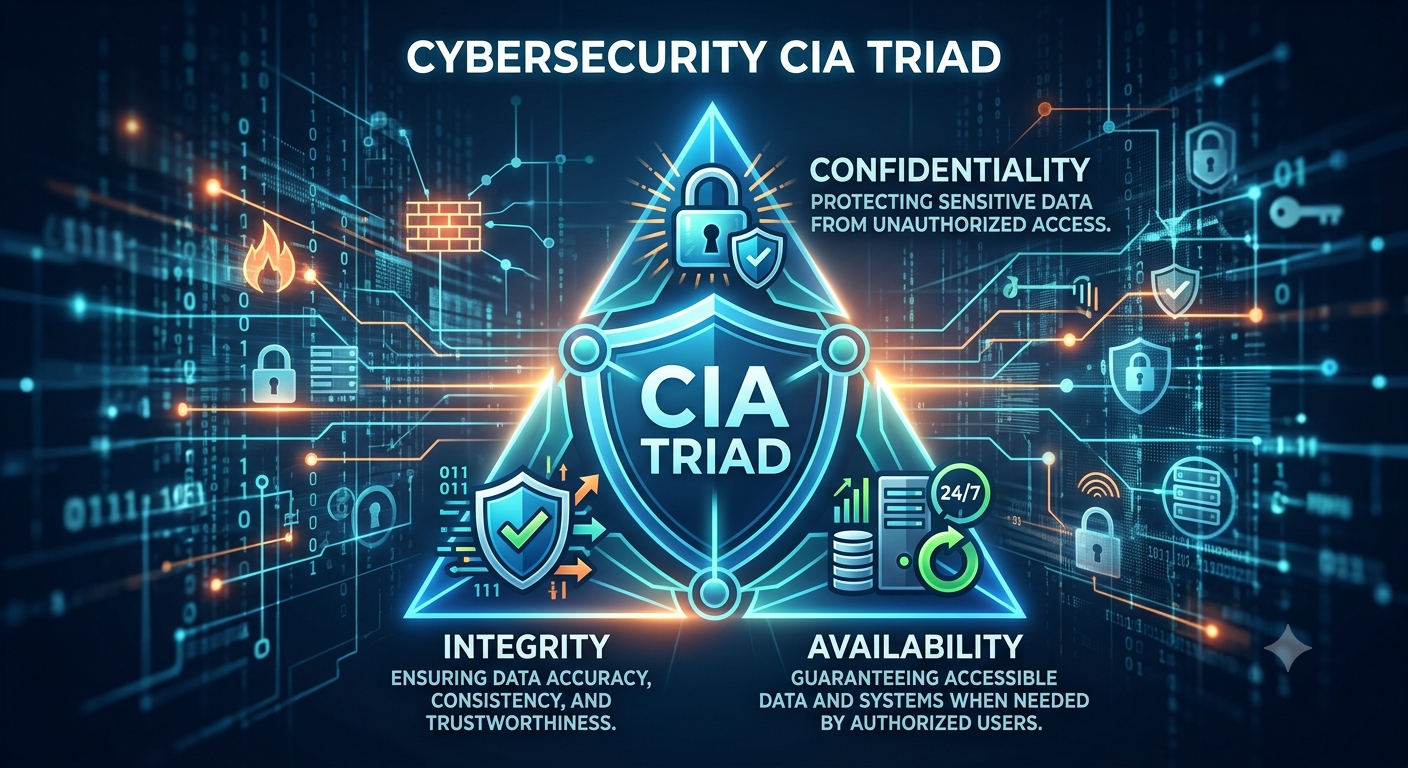
CIA Triad Diagram
File: images/cia-triad.png — shows confidentiality, integrity, and availability
Confidentiality
Ensures sensitive information is seen only by people or systems authorized to access it.
Integrity
Ensures information remains accurate, trustworthy, and protected from unauthorized modification.
Availability
Ensures systems and information are accessible to authorized users when needed.
1. Confidentiality
Confidentiality is about keeping information private. A customer database, employee salary file, password vault, medical record, or private message should not be accessible to everyone.
Common controls include passwords, encryption, access permissions, multi-factor authentication, and identity management.
2. Integrity
Integrity means information should remain correct and trustworthy. Attackers should not be able to secretly change a bank balance, alter a software file, or modify a configuration without detection.
Hashing, digital signatures, file permissions, audit logs, and change-management processes help protect integrity.
3. Availability
Availability means legitimate users should be able to access a system or service when needed. A secure system that nobody can use is not useful.
Backups, redundancy, failover systems, monitoring, disaster recovery, and protection against denial-of-service attacks all support availability.
Offensive security vs defensive security
Cybersecurity professionals often look at security from two broad perspectives: the attacker's perspective and the defender's perspective.
Offensive Security
Offensive security takes a proactive, attack-oriented approach. Security professionals safely simulate techniques an attacker might use to discover weaknesses before criminals do.
Common activities- Ethical hacking
- Penetration testing
- Vulnerability assessments
- Social engineering simulations
- Attack-path testing
Goal: identify exploitable weaknesses so they can be fixed.
Defensive Security
Defensive security focuses on preventing attacks, monitoring systems, detecting suspicious behavior, responding to incidents, and helping an organization recover.
Common activities- Firewall and endpoint protection
- Security monitoring
- SIEM alert investigation
- Threat detection
- Incident response
- Digital forensics
Goal: prevent, detect, contain, investigate, and recover from attacks.
Purple Teaming: modern security programs often bring offensive and defensive specialists together.
Red Team findings can be shared directly with Blue Team defenders so detection rules, monitoring, configurations, and response procedures can be improved.
A legal and ethical boundary matters
Offensive security must always be authorized. Testing systems without permission can be illegal and harmful. Ethical hackers work within a defined scope and follow agreed rules of engagement.
If you are beginning to learn network scanning, practice only on systems you own or have explicit permission to test. When you are ready, continue with the PasswordGeeks Nmap tutorial for beginners.
What do we protect in cybersecurity?
Cybersecurity is divided into several areas because organizations have many different things to protect: networks, cloud platforms, devices, applications, identities, data, and people.
Network Security
Protects devices and traffic communicating across wired and wireless networks.
- Firewalls
- Network segmentation
- VPNs
- IDS and IPS systems
- Network monitoring
Cloud Security
Protects applications, workloads, accounts, storage, and data hosted in cloud platforms like AWS, Azure, and GCP.
A major challenge is configuration — a cloud service may be technically secure but become exposed if permissions are misconfigured.
Endpoint Security
Protects devices such as laptops, desktops, smartphones, tablets, and servers from malware, unauthorized access, and suspicious behavior.
- Antivirus and EDR
- Host firewalls
- Encryption
- Patching and device management
Application Security
Focuses on finding and reducing weaknesses in software by building security into applications rather than bolting it on after release.
- Secure coding
- Code review
- Vulnerability testing
- Input validation
Data Security
Protects information throughout its lifecycle: when stored, used, transmitted, archived, and deleted.
- Encryption and access controls
- Secure backups
- Data classification
- DLP tools and retention policies
Identity & Access Management
IAM determines who a user is and what that user is allowed to access.
- Authentication and authorization
- Multi-factor authentication
- Least privilege and role-based access
- Privileged access management
Common cyber threats beginners should know
A threat is something that can potentially cause harm. A vulnerability is a weakness that could be exploited. Risk is the potential impact and likelihood of that threat exploiting the weakness.
| Threat | What it means | Typical target |
|---|---|---|
| Phishing | Fraudulent messages designed to trick users into revealing information or taking an unsafe action. | People and accounts |
| Malware | Malicious software such as trojans, spyware, worms, or ransomware. | Devices and data |
| Ransomware | Malware that encrypts or disrupts systems and is commonly used for extortion. | Files, servers, organizations |
| Credential attacks | Attempts to steal, guess, reuse, or abuse usernames, passwords, tokens, or session credentials. | User accounts |
| Web attacks | Attempts to exploit weaknesses in websites, web applications, APIs, or authentication. | Applications and data |
| Denial of Service | Attempts to overwhelm or disrupt a service so legitimate users cannot access it. | Availability |
| Insider threat | Risk caused by trusted users who intentionally or accidentally misuse their access. | Internal systems and data |
Threat, vulnerability, and exploit are not the same
- Threat: something capable of causing harm.
- Vulnerability: a weakness in software, hardware, configuration, process, or human behavior.
- Exploit: a technique or code used to take advantage of a vulnerability.
- Risk: the potential impact if a threat successfully exploits a vulnerability.
Defense in depth: why one security tool is not enough
Good cybersecurity does not depend on a single firewall, antivirus product, password, or security application. Instead, organizations use multiple layers of protection. This concept is known as defense in depth.
Identity layer
Strong authentication, MFA, secure password practices, and least-privilege access.
Endpoint layer
Device hardening, anti-malware, EDR, encryption, and regular software updates.
Network layer
Firewalls, segmentation, secure Wi-Fi, monitoring, and safe remote-access technologies.
Application layer
Secure coding, vulnerability management, strong authentication, and application security testing.
Data layer
Encryption, access controls, backups, classification, and monitoring for unauthorized use.
Detection & response layer
Logging, SIEM, alerting, incident response, threat hunting, and recovery planning.
If one control fails, another layer may still prevent the attacker from reaching the final target.
Basic cybersecurity practices everyone should follow
You do not need to become a security engineer before improving your personal security. A few basic habits provide a strong foundation.
- Use unique passwords for important accounts.
- Use a reputable password manager instead of reusing passwords.
- Enable multi-factor authentication wherever possible.
- Keep operating systems, browsers, apps, and device firmware updated.
- Be cautious with unexpected links, attachments, login pages, and urgent messages.
- Maintain backups of important data.
- Use device encryption and screen locks.
- Review account permissions and remove apps or accounts you no longer use.
How should a beginner start learning cybersecurity?
The strongest cybersecurity learners build fundamentals before jumping into advanced tools. Tools change. Networking concepts, operating systems, security principles, and analytical thinking remain valuable.
Learn basic computer and OS concepts
Understand files, processes, users, permissions, services, command-line basics, Windows, and Linux.
Learn networking fundamentals
Study IP addresses, subnets, DNS, DHCP, ports, protocols, TCP, UDP, routers, switches, and firewalls.
Learn core security concepts
Master the CIA Triad, authentication, authorization, encryption, hashing, vulnerabilities, threats, risk, and malware.
Build a safe home lab
Use virtual machines and intentionally vulnerable systems so you can practice without touching systems you don't own.
Learn security tools
Start with tools such as Wireshark, Nmap, a SIEM platform, vulnerability scanners, and basic web-security tools.
Choose a direction
Explore defensive security, penetration testing, cloud security, application security, digital forensics, or governance.
Ready for hands-on learning?
Start with our beginner-friendly Nmap tutorial and learn how network scanning works.
Cybersecurity FAQ
What is cybersecurity in simple words?
Cybersecurity means protecting computers, networks, accounts, applications, devices, and data from digital attacks, unauthorized access, theft, damage, or disruption.
What are the three core principles of cybersecurity?
The three principles are confidentiality, integrity, and availability. Together they are known as the CIA Triad.
Is cybersecurity the same as ethical hacking?
No. Ethical hacking is one area within cybersecurity. Cybersecurity also includes defensive security, incident response, network security, cloud security, application security, identity management, and many other specialties.
What is Red Team vs Blue Team?
Red Teams simulate attacks to find security weaknesses. Blue Teams defend systems, monitor activity, investigate alerts, and respond to threats.
Do I need programming to start cybersecurity?
No. You can begin learning cybersecurity without being a programmer. Networking, operating systems, security concepts, and command-line skills are more important at the beginning. Programming becomes increasingly useful as you advance.
What should I learn first in cybersecurity?
Start with computer basics, networking fundamentals, Windows and Linux, the CIA Triad, common threats, authentication, access control, encryption, and basic defensive concepts. Then begin practicing with security tools in a safe lab.
Test Your Understanding
Answer all 5 questions below. If you get one wrong, don't worry — you'll get another chance to pick the correct answer. This chapter is only marked complete when all 5 answers are correct.
What does the CIA Triad stand for in cybersecurity?
Which team is primarily focused on finding weaknesses through simulated attacks?
What is the main purpose of defense in depth?
Which security domain is specifically focused on protecting who a user is and what they can access?
What is the difference between a threat and a vulnerability?
Chapter Complete
All 5 questions solved. This chapter is now marked complete in Module 1.